Work inTasks is a keyboard-first Kanban board for macOS. Every board is a plain markdown file in a folder you choose, and every action has a shortcut.
Join waitlist · FreeNo account · boards are .md files · light and dark
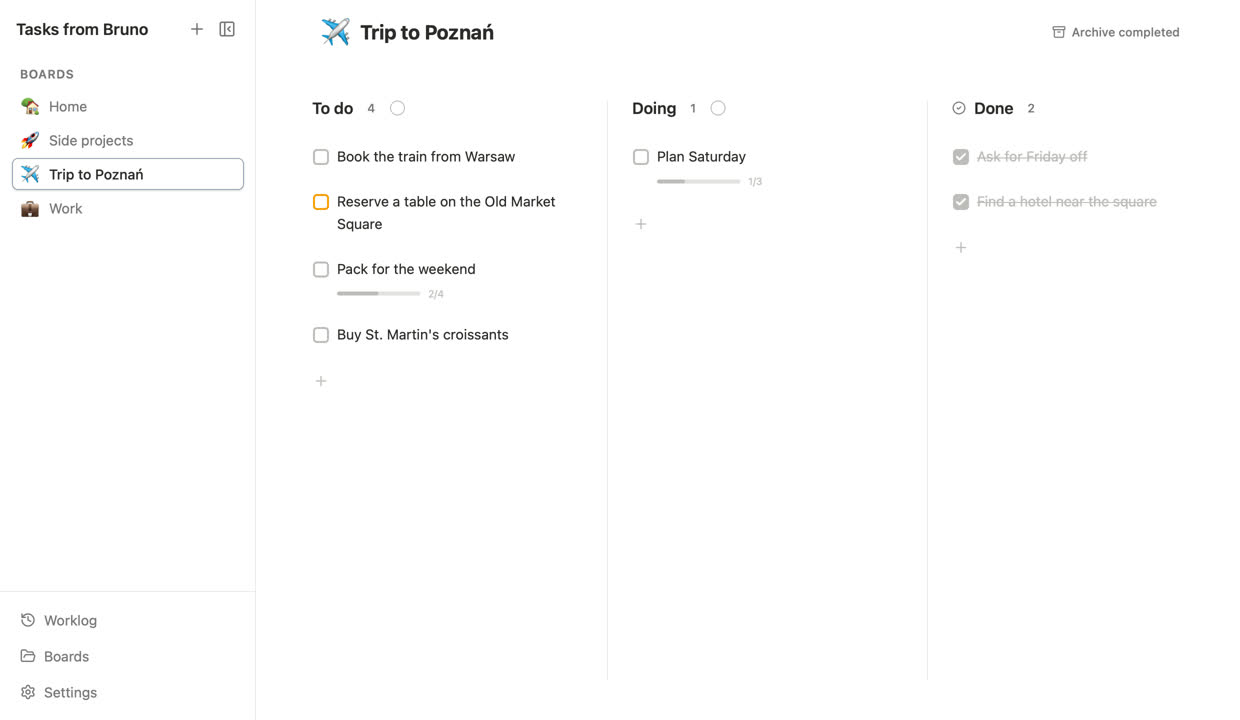
What's on disk
One board, one .md file. Columns are headings, tasks are checkboxes, and sub-tasks sit indented underneath. This is the file behind the recordings on this page.
[auto-close] and everything you move into it gets checked off--- icon: ✈️ --- # Trip to Poznań Long weekend, three days, one goat show. ## To do - [ ] Book the train from Warsaw - [ ] Reserve a table on the Old Market Square {{#F59E0B}} - Somewhere with pierogi ruskie - [ ] Pack for the weekend - [x] Rain jacket - [x] Charger - [ ] Comfortable shoes - [ ] Camera - [ ] Buy St. Martin's croissants ## Doing - [ ] Plan Saturday ## Done [auto-close] - [x] Ask for Friday off
Boards
Point Tasks at a folder and every markdown file in it becomes a board. ⌘1–9 jumps straight to one, [ shows the list.

Focus
Press ⌘. on a task to start a focus session. Its name and a timer sit in the notch at the top of your screen, above every app.

Worklog
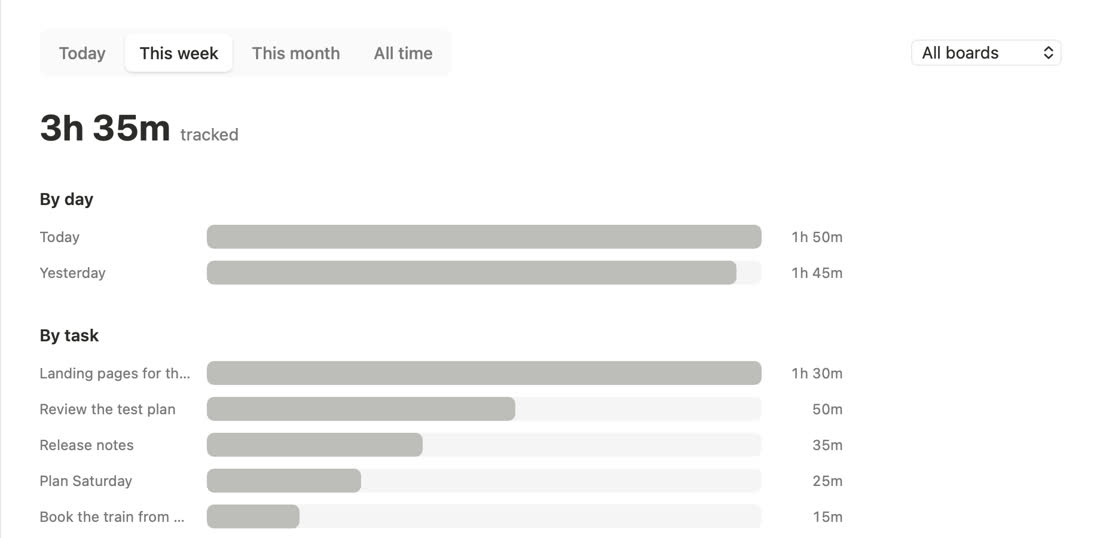
Every focus session is logged. The worklog adds them up by day and by task, for today, this week, this month or all time, across all boards or just one.

Keyboard first
⌥↑ ↓ reorders, add ⇧ to send it to the top or bottom.
Add a task to the current column, or rename the one you're on.
Tab tucks a task under the one above it.
Then tick, move or delete them all at once.
Moves, edits and deletes.
Start or stop a focus session on the selected task.
Work in progress · join the waitlist
No trial, no subscription, no account. Pick a folder, make a board, start moving things to Done.
macOS. Your boards stay wherever you keep them.
Other apps you might like